Short answer: before you fly to Korea, check whether you need a K-ETA (22 countries and territories, including the US, UK, Canada and Australia, are exempt until December 31, 2026), file the free e-Arrival Card within 3 days of landing, sort out a data plan, and download Naver Map instead of relying on Google Maps. Everything else on this list makes your trip easier, but those four will save you real headaches.
I’m a Seoul local, and this checklist includes the things Korean friends tell visitors that most English guides skip: restaurant break times, why some BBQ places turn away solo diners, and how to sign up for Naver without a Korean phone number.
Last checked: 2026-10-27. Entry rules change, so always confirm on the official sites linked below.
Quick checklist
- ☐ Passport valid for your whole stay (6+ months is safest)
- ☐ K-ETA or visa status checked
- ☐ e-Arrival Card filed (within 72 hours of arrival)
- ☐ Hotel and train tickets booked
- ☐ eSIM, SIM or pocket Wi-Fi ready
- ☐ Naver Map, Papago and Kakao T downloaded
- ☐ Some cash in won for T-money and markets
- ☐ Medication rules checked
- ☐ Plug adapter (Type C/F, 220V)
- ☐ Emergency numbers saved: 112 and 119
Korea Travel Checklist: When to Do What
| When | What to do |
|---|---|
| 2–3 months before | Check passport validity, check K-ETA or visa needs, book flights and hotels (earlier for spring cherry blossom and autumn foliage seasons) |
| 1 month before | Book KTX train tickets for intercity trips, reserve popular restaurants and attractions, buy travel insurance, check medication rules |
| 1 week before | Buy an eSIM or reserve a SIM or pocket Wi-Fi, download apps, set up your card for overseas use |
| Within 3 days of arrival | Submit the e-Arrival Card (unless you hold an approved K-ETA) |
| On arrival | Get some won, buy a T-money card, activate your data |
1. Entry Paperwork: K-ETA and the e-Arrival Card
K-ETA (Korea Electronic Travel Authorization)
The K-ETA is an online travel permit for visa-free visitors. Right now, Korea has a temporary K-ETA exemption until December 31, 2026 for 22 countries and territories:
Australia, Austria, Belgium, Canada, Denmark, Finland, France, Germany, Hong Kong, Italy, Japan, Macau, the Netherlands, New Zealand, Norway, Poland, Singapore, Spain, Sweden, Taiwan, the United Kingdom and the United States (including Guam).
If your country is not on this list and you don’t need a visa, you’ll likely need a K-ETA. Apply only on the official site, k-eta.go.kr, and do it at least 72 hours before your flight. Copycat sites charge extra for the same form.
Traveling in 2027? The exemption ends on December 31, 2026 unless Korea extends it again. If your trip is in January 2027 or later, check the official site a few weeks before you fly.
e-Arrival Card
The paper arrival card you used to fill out on the plane has been replaced by an online version. Submit it free at e-arrivalcard.go.kr up to 3 days before you land. You don’t need to print it.
If you already have an approved K-ETA, you can skip the e-Arrival Card. That’s one reason some exempt travelers still choose to apply for a K-ETA.
Passport
Your passport needs to be valid for your stay, but many airlines and embassies recommend at least six months of validity. If yours expires soon, renew it before booking anything.
2. Bookings to Make Early
- Hotels: Spring (late March to early April) and autumn (October to November) are busy. Book a month or more ahead for those seasons.
- KTX trains: Weekend and holiday trains between Seoul and Busan sell out. Korean holidays like Chuseok and Seollal are the worst. Avoid traveling on those dates if you can.
- Popular restaurants: Many trendy restaurants in Seoul take bookings only through Korean apps like CatchTable or put you on a digital waitlist through Tabling. Some now have English versions, so check before you go.
- Palaces and museums: Check closing days. Gyeongbokgung Palace closes on Tuesdays, and many museums close on Mondays.
3. Phone, Data and the Apps You Actually Need
Get mobile data before you land
An eSIM is the easiest option if your phone supports it. You can also pick up a physical SIM or pocket Wi-Fi at Incheon Airport. You’ll use data all day for maps, translation and payment, so don’t rely on café Wi-Fi.
Download these apps at home
- Naver Map: the map Koreans actually use. It has an English mode, walking directions, subway and bus routes, and real reviews.
- Papago: a translation app made in Korea. Its camera mode is great for menus.
- Kakao T: for calling taxis.
- Subway app: Naver Map covers this, but a dedicated subway app is handy underground.
Why not just use Google Maps?
For years, Google Maps couldn’t give proper walking or driving directions in Korea because of map data rules. In February 2026 Korea conditionally approved Google’s request to use detailed map data, but as of this update the full service hasn’t been confirmed as live. For now, Naver Map is still more accurate for walking routes, opening hours and reviews.
Local tip: Naver Map works best when you search in Korean. Copy the Korean name of a place (from a blog, Instagram or this site) and paste it into the search bar. You’ll get far better results than with an English spelling.
Jimmy’s note: Skip Google Maps and download Naver Map instead. It’s built around Korean, so translating a place name into Korean before you search usually gives you better results. Most Koreans still use Naver, our own search engine, instead of Google, and that’s why many visitors find getting around frustrating at first. But once you start using Naver Map, you can find great local restaurants and see exactly when the next subway or bus will arrive in real time, so you can plan your day much better.
Can foreigners sign up for Naver?
Yes, and you don’t need a Korean phone number.
- Sign up with your own number: Naver accepts overseas mobile numbers for text-message verification.
- Verify with your passport: Since June 4, 2026, foreign visitors can verify their identity with a foreign passport right on their phone. Once verified, you can make restaurant reservations, book other services and pay through Naver Map. Before this, travelers without a Korean number had to call customer support.
- No account needed for the basics: Searching for places and getting directions on Naver Map work without signing up.
4. Money: Cash, Cards and Tax Refunds
- Cards: Visa and Mastercard work almost everywhere in cities. Tell your bank you’re traveling and check foreign transaction fees.
- Cash: Keep some won for traditional markets, street food and small shops. Topping up a T-money card at a convenience store or subway machine usually needs cash.
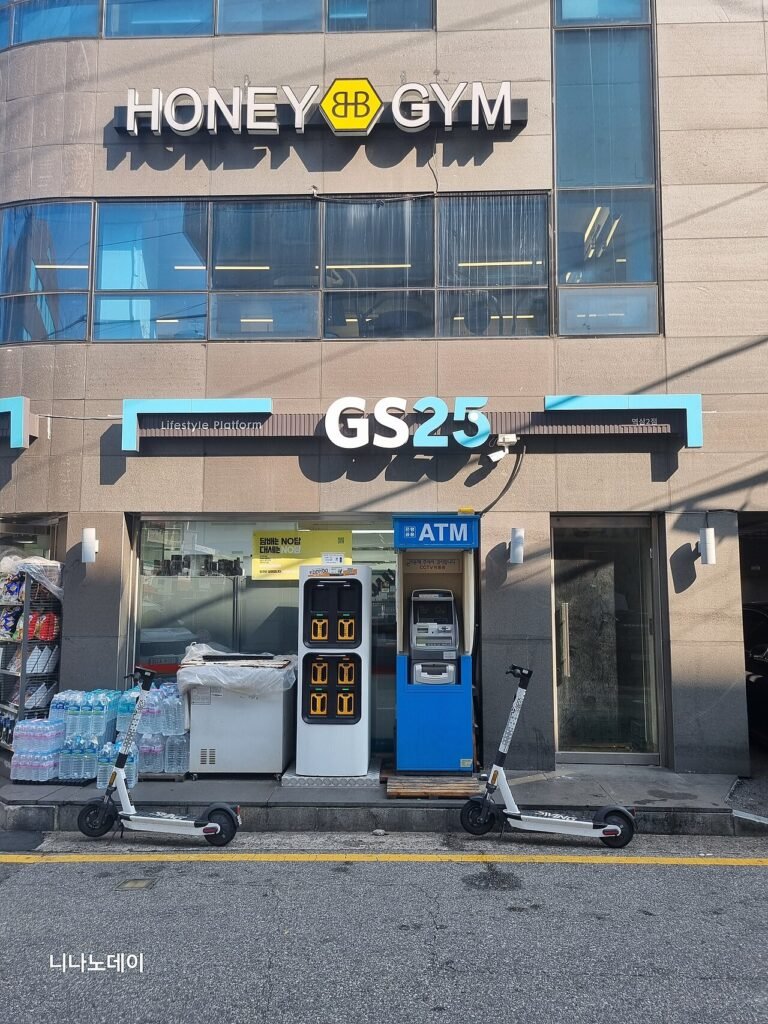
- T-money card: a rechargeable transport card for subways, buses and many taxis. Buy one at any convenience store (GS25, CU, 7-Eleven) or the airport.
- Tax refunds: At stores marked “Tax Free,” foreign visitors staying less than six months can get an instant refund at the counter on purchases of ₩15,000 or more, up to ₩1,000,000 per purchase and ₩5,000,000 in total for the trip. Bring your passport when shopping.
- Tipping: not expected in Korea. Prices are what you pay.
5. Things Koreans Know That Guidebooks Don’t Tell You
- Break time: Many restaurants close between lunch and dinner, often around 3 p.m. to 5 p.m. If you’re planning a late lunch, check the hours on Naver Map first.
- Solo diners at BBQ places: Some Korean BBQ and hot pot restaurants require at least two orders, so a solo traveler may be turned away. Look for places that offer single portions, or go at lunchtime.
- Lines move fast, waitlists move faster: At popular spots you may see a tablet at the door instead of a line. Enter your phone number and wait nearby.
- Water is free: In most restaurants, water costs nothing, so don’t be surprised when it arrives without you asking. Tap water in Korea is generally fine to drink, and since COVID many restaurants serve bottled water for hygiene reasons.
6. Health and Medication
Korea has strict drug laws. Ordinary prescription medicine for personal use is usually fine if you keep it in its original packaging with a copy of your prescription. Medication containing controlled substances, including some ADHD medications, requires approval from Korea’s Ministry of Food and Drug Safety before you travel. If you take anything in this category, contact the Korean embassy in your country well ahead of your trip.
Travel insurance is also worth it. Healthcare in Korea is high quality, but costs for visitors without insurance add up quickly.
7. Packing Essentials
- Plug adapter: Korea uses 220V with round two-pin plugs (Type C and F). Check that your chargers support 220V.
- Comfortable walking shoes: Seoul is hilly and you’ll walk a lot, especially on subway transfers.
- Weather-ready layers: Summers are hot and humid with a rainy season, and winters are cold and dry. Pack for the month you’re visiting.
- Portable battery: you’ll be on your phone all day for maps and translation.
8. Save These Emergency Numbers
| Number | What it’s for |
|---|---|
| 112 | Police |
| 119 | Fire and ambulance |
Korea Travel Checklist FAQ
Do Americans need a K-ETA for Korea in 2026?
No. US citizens are on the temporary exemption list until December 31, 2026. You’ll still need to submit the e-Arrival Card unless you choose to get a K-ETA anyway.
Is the e-Arrival Card mandatory?
For most foreign visitors, yes. It’s free and takes a few minutes at e-arrivalcard.go.kr. Approved K-ETA holders and registered residents are exempt.
Does Google Maps work in Korea?
It shows places and public transit, but walking and driving directions have been limited for years. Korea approved Google’s use of detailed map data in February 2026, but Naver Map is still the safer choice for now.
Do I need cash in Korea?
A little. Cards work almost everywhere, but traditional markets, some street food stalls and T-money top-ups often need cash.
Can I use my phone in Korea?
Yes, as long as it’s unlocked for an eSIM or local SIM, or you use a pocket Wi-Fi. Check your phone supports eSIM before you buy one.
What is the best time to visit Korea?
Spring (April to May) and autumn (September to November) have the most comfortable weather. They’re also the busiest, so book early.
Leave a Reply